Automation
Manual tracking breaks down when the same shipment is checked again and again across carrier portals, spreadsheets, and inboxes. Alerts and webhooks solve different parts of that problem.
What alerts solve
Alerts are for people. They tell an operations user that a shipment has changed, an exception needs review, or a deadline such as last free day is approaching. A useful alert is specific enough to drive action instead of creating more inbox noise.
In TrackCargo workflows, alerts make the most sense when they sit near shipment context: tracking status, PO references, parties, documents, SKUs, custom fields, and LFD follow-up.
What webhooks solve
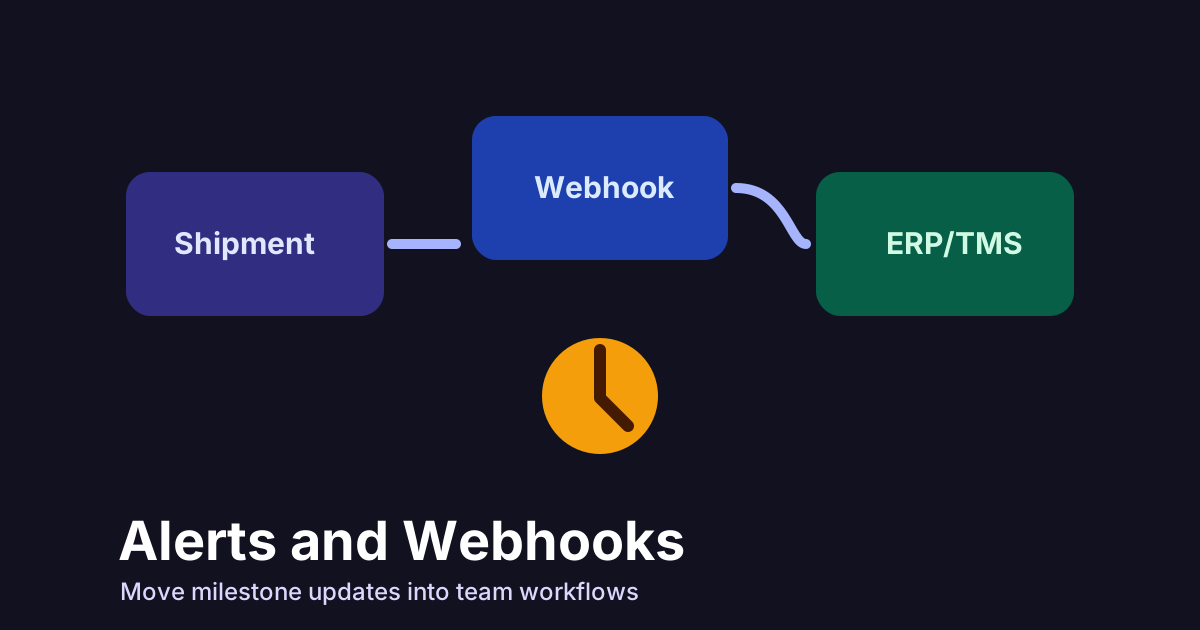
Webhooks are for systems. Instead of making your application poll for shipment changes, a webhook can push an event to your TMS, ERP, customer portal, or internal workflow tool when a tracked shipment changes.
TrackCargo's public developer surface describes REST API access and webhook workflows for teams that need shipment data programmatically. The commercial value is not the webhook itself; it is the removal of repetitive checking and retyping.
Choose alert rules with restraint
A noisy alert program sends people back to manual work. Start with milestones that usually require action: invalid reference, shipment created, departed, arrived, discharged, delivery or collection, cancelled tracking, and LFD risk. Then decide which of those belong in email or in-app alerts and which belong in a webhook for another system.
TrackCargo account settings include webhook configuration and API key management. That means the operational rulebook and the technical configuration should be designed together. The person who owns the workflow should agree on what creates a task, what only updates a status, and what should be ignored.
A practical rollout
- Start with high-value events such as departure, arrival, discharge, delivery, and exceptions.
- Decide which updates need a human alert and which should move directly into another system.
- Keep raw carrier labels available, but map them to operational meanings where possible.
- Use a shared shipment record so notifications include the PO, customer, document, and owner context.
Test the failure paths
Webhook testing should include more than successful milestone delivery. Check what happens when your endpoint is unavailable, when the receiving system cannot match the order, when a duplicate event arrives, and when the carrier returns a corrected or partial update. Your runbook should say whether to retry, log, alert a developer, or assign an operations owner.
For human alerts, test the same practical questions. Does the notification include the shipment reference, mode, carrier, latest status, event time, and owner context? Can the user open the shipment record directly? Is the alert specific enough to act on without searching documents and parties separately?
Govern webhook ownership
A webhook endpoint is part of the production workflow, so someone should own it. TrackCargo account settings let teams manage webhook configuration and API keys, but the receiving system still needs internal rules. Decide who can change the endpoint, who receives failure notifications, how API keys are rotated, and how webhook events are traced back to a shipment.
Keep the first rule set conservative. Do not trigger invoices, delivery promises, or customer-facing messages from an event until the team has reviewed how that carrier reports milestones. Start with internal updates, then expand to customer portals or automated tasks once duplicate, corrected, missing, and delayed events are understood.
The same logic applies to alerts. Give operations fewer, better notifications: the status changed, a deadline is close, a reference is invalid, a document is missing, or a shipment needs an owner. If every minor update becomes an alert, users will stop trusting the workflow.
For the first rollout, keep a simple log of which alerts were acted on and which were ignored. Remove or narrow the ignored rules before adding more events. That feedback loop keeps automation aligned with real operations work.
What to review in a webhook payload
Before a webhook goes live, review the payload with the people who will rely on it. It should include the shipment identifier, mode, carrier, latest milestone, event time, location, status, and enough internal reference data for the receiving system to match the event to the right record.
Also decide what should not trigger a downstream action. Duplicate events, corrected carrier messages, and partial updates should not create noise. A clean integration has rules for both the update you want and the update you intentionally ignore.
Related TrackCargo guides
Start with the container tracking API guide, then read DCSA events explained and the milestone glossary to decide which events deserve automation.
Next step
Review the developer API or contact TrackCargo if your team needs API or webhook access.