Standards and Visibility
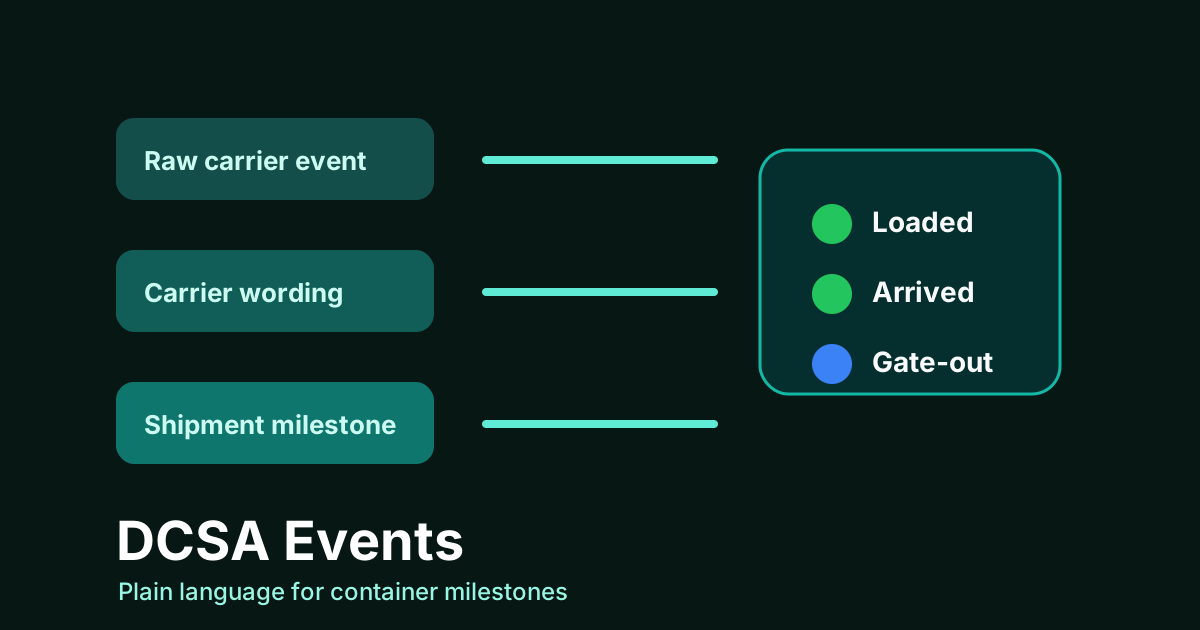
Container tracking gets confusing when different systems describe the same shipment in different words. One system says loaded. Another says laden on board. A customer asks whether the cargo has departed, but the available event uses carrier-specific language.
What DCSA events are trying to solve
DCSA, the Digital Container Shipping Association, publishes standards intended to make container shipping data easier to exchange and interpret. In practical terms, DCSA event language helps teams describe shipment, transport, equipment, and document events more consistently.
The point is not to make operations teams memorize codes. The point is to reduce translation work. If a carrier event can be normalized into a common meaning, dashboards, APIs, alerts, and customer updates become easier to trust.
Why standard events matter
- Clarity: people can understand whether two systems are describing the same milestone.
- Integration: developers spend less time writing carrier-specific translation rules.
- Workflow control: alerts and exceptions can be based on stable milestone meanings.
TrackCargo presents carrier-sourced milestones in a shared tracking workflow. Where carrier data is available, that gives teams a clearer view of what happened and what should happen next.
Translate standards into operating decisions
Standards are useful only when they reduce the decisions people have to make manually. For a shipment team, the important question is usually simple: has the cargo reached a point where someone must act? Arrival may start broker follow-up. Discharge may move a container into free-time monitoring. Gate-out may close a terminal risk. Delivery may trigger document reconciliation.
A TrackCargo workflow should therefore treat event language as a bridge between carrier data and action. Public tracking can show the latest available status. Dashboards can keep that status next to owners, documents, parties, purchase orders, SKUs, and custom fields. Webhooks can pass selected changes into another system when an automated handoff is appropriate.
How to use the concept
Start by grouping events by the decisions they support. Has the shipment been accepted? Loaded? Departed? Arrived? Discharged? Released? Delivered? Once those meanings are clear, product teams can design better dashboards and developers can create cleaner API mappings.
This is especially useful when a team tracks multiple carriers. Raw carrier labels are still useful, but normalized milestones help operations compare shipments without learning a different vocabulary for every carrier.
A small event dictionary for teams
Create an internal dictionary before automating alerts. It does not need to reproduce the full standard. It only needs to map the milestones your operation uses every day to the action they trigger.
- Accepted or booked: confirm the shipment exists and the reference is usable.
- Loaded or departed: update customer-facing status and check planned arrival timing.
- Arrived or discharged: review documents, customs status, availability, and LFD exposure.
- Gate-out, delivered, or collected: close active exception work and reconcile remaining documents.
- Exception, hold, or unknown state: keep the raw carrier detail and assign an owner before alerting everyone.
Keep raw and normalized views together
Normalization should make the product easier to use, not erase the carrier record. Keep the user-facing milestone simple, then preserve the original carrier wording, location, event time, and source details for people who need to investigate. This is especially important when a customer asks why two systems appear to disagree.
For API work, store both values. The normalized value can drive alert rules, dashboard filters, and exception queues. The raw event can support audit, carrier conversations, and support replies. TrackCargo's role in that workflow is to help teams work from common milestone meanings while respecting the fact that carrier data arrives with different levels of detail.
When a team is new to event standardization, start with the events that already create manual work. A small, trusted mapping for arrived, discharged, gate-out, delivered, and exception states is more useful than a large dictionary nobody uses during a busy shipment review.
How this should show up in a product
A tracking product should not bury the user in codes. It should show the operational milestone clearly, preserve the carrier's original wording for detail, and make the next action obvious. A gate-out event may close an LFD risk. An arrival event may trigger customs follow-up. A departed event may update the customer portal.
TrackCargo uses normalized milestone language in public tracking and dashboard views so sea and air shipments can be scanned quickly, while still keeping the detailed event history available for users who need it.
Related TrackCargo guides
Continue with the container tracking API guide, the milestone glossary, and alerts and webhooks if you are designing downstream workflows.
Further reading: DCSA Track & Trace standard.
Next step
For integration work, start with the developer API. For operational teams, start with the public container tracking and MBL tracking workflows.