Document Workflow
Shipment visibility is not only about carrier events. Teams also need to know which documents exist, which purchase orders and SKU lines are connected, who owns the next action, and whether the shipment is approaching a time-sensitive milestone such as last free day.
Why cargo documents become fragmented
Bills of lading, commercial invoices, packing lists, customs documents, delivery orders, and internal references often arrive through different channels. A supplier may send one file by email, a broker may ask for another document in a separate thread, and the operations team may still be tracking the shipment in a carrier portal.
That separation creates avoidable work. People know a shipment exists, but they cannot quickly answer whether the right document is attached to the right shipment, purchase order, party, or item line.
Use the shipment record as the anchor
TrackCargo is built around a shipment workspace rather than a one-off status lookup. A shipment can carry tracking milestones, document uploads, parties, purchase order references, SKU or item details, custom fields, and last-free-day follow-up in the same operational context.
That structure matters because a document rarely has value in isolation. A bill of lading is more useful when it is next to the carrier status. A packing list is more useful when SKU quantities and package details are visible. A delivery order is more useful when the consignee, pickup location, and free-time risk are easy to review.
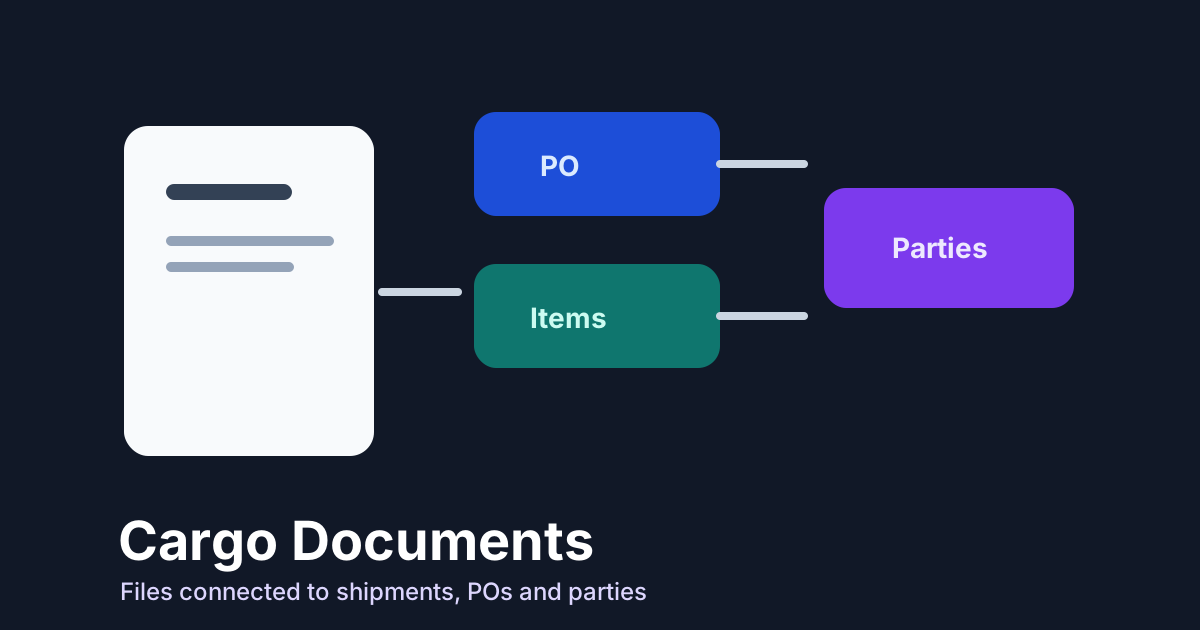
Connect documents to POs, items, and parties
For BCO and operations teams, the customer-facing reference is often the PO number. That is why shipment records should make the PO easy to identify and should keep PO line items, SKU quantities, package type, supplier context, and shipment allocation connected.
Parties matter for the same reason. Shipper, consignee, supplier, notify party, pickup location, and delivery contacts should not live only in email signatures. They should be part of the shipment record so teams can see who is involved before they need to escalate.
Build a simple document workflow
- Create or track the shipment using the available container, MBL, booking, or AWB reference.
- Attach the bill of lading, invoice, packing list, customs files, and other shipment documents.
- Link PO references and item lines so quantity and package context stays with the movement.
- Capture the shipper, consignee, supplier, pickup, and delivery parties needed for handoff.
- Use custom fields and last-free-day data for follow-up that is specific to your operation.
Use labels that match operations
Document libraries fail when every file is named "final" or "scan". TrackCargo's document workflow is more useful when the team labels files by document type, shipment reference, PO, party, and stage. A bill of lading, invoice, packing list, customs file, insurance document, certificate, and delivery order should be easy to separate without opening each file.
Keep the labeling simple enough for daily use. The goal is to answer questions quickly: is the B/L attached, does the invoice match the PO, is the packing list available, which broker has the customs file, and what document is missing before pickup or delivery?
The goal is not file storage
A document library is useful, but logistics teams need more than a place to keep PDFs. They need documents tied to the shipment timeline, references, items, parties, and exceptions that drive the next action.
That is the operational difference TrackCargo is designed around: public tracking for quick checks, and account workflows when the team needs documents, POs, SKU details, parties, and LFD follow-up connected to the same shipment.
Add billing and audit context when it matters
Some document work eventually becomes billing or dispute work. Keep enough shipment history to explain what happened: tracking reference, carrier, milestone dates, LFD values, document upload status, party contacts, and any manual notes. TrackCargo's dashboard also exposes billing usage and invoices in account settings, so operations and finance can review account activity without mixing it into the shipment timeline itself.
That separation is useful. The shipment record should explain the operational story. Billing settings should explain plan, usage, invoices, and billing information. When both are clean, a team can review a shipment problem without turning the document library into a finance inbox.
Document work is reference work
Most document mistakes are really reference mistakes. A file is uploaded, but the team cannot tell whether it belongs to the right PO, B/L, AWB, supplier, container, or item line. The clean fix is not a bigger folder tree. It is a shipment record where each document is attached to the references people actually use.
For BCO teams, that usually means PO number, supplier, SKU, quantity, package type, shipper, consignee, and carrier reference all need to be visible in the same workflow. When those fields are editable and exportable, the document tab becomes part of operations rather than a filing cabinet.
Related TrackCargo guides
Pair this with the bill of lading guide, the LFD guide, and the ocean versus air workflow guide.
Next step
Explore the BCO workspace or start with container tracking, MBL tracking, or AWB tracking.